

REVIEW · MALAYSIA
Singapore, Thailand & Malaysia eSIM: 0.5GB Daily to 30GB-30 Days
Internet the minute you land matters. This data-only eSIM service is built for travelers who want to be online fast in Kuala Lumpur and across Singapore, Thailand, and Malaysia without fuss.
I like the simple install flow, you scan a QR code and you are set up. I also like the flexible data approach, high-speed data first, then unlimited reduced speed for messaging apps, plus hotspot support so you can share the connection if needed.
One real drawback to plan around: it is data only, no voice or SMS, and eSIM compatibility depends on your device. If your phone is not eSIM-ready, you could waste time at the airport, so I recommend checking before you leave.
In This Review
- Quick hits you will care about
- The “why” of a data-only eSIM for Kuala Lumpur
- What you get: unlimited prepaid data, plus practical limits
- Setup in minutes: how the install timing really works
- Speed expectations: 4G LTE or 5G, then 128 kbps
- Network coverage across Malaysia, plus the broader region angle
- Device compatibility: the one thing to check before you pack
- Hotspot support: why it is useful in real trips
- Value for money: turning $3.18 into useful days
- What your “timeline” looks like on the ground
- Before you leave
- Arrival in Kuala Lumpur
- During your trip
- When your trip ends
- Support and the practical reality of help
- Who this eSIM suits best
- Should you book this eSIM for Kuala Lumpur?
- FAQ
- How quickly do I get the eSIM QR code?
- When does the data plan start?
- Is this eSIM for calls and SMS?
- Can I use the eSIM for a mobile hotspot?
- What happens after I use my high-speed allowance?
- How long do I have to start using it after purchase?
Quick hits you will care about
- QR code delivery in minutes, so you can get set up before you touch down
- Plan starts when installed, not when you buy it, so timing matters
- Daily resets at 0000 (+8GMT) for the daily plan option
- After high-speed data ends, you still get unlimited reduced speed for messaging apps at 128 kbps
- Hotspot works, which is great for maps, messaging, and one laptop connection
- Data-only eSIM, so you need an internet-calling app, not traditional calls or texts
Still weighing it up? These Kuala Lumpur bookings kept coming back in our notes.
- Kuala Lumpur: Batu Caves Half-Day Tour with Pick-Up Option★ 4.5 · 4,288 reviews
- Private Half-Day Batu Caves and Cutural Tour in Kuala Lumpur★ 5.0 · 3,107 reviews
- Historical Malacca Guided Day Tour (Shared Tour)★ 5.0 · 2,172 reviews
- Kuala Lumpur: Sambal Street Food Tour with 15+ Tastings★ 4.9 · 1,657 reviews
The “why” of a data-only eSIM for Kuala Lumpur
For Kuala Lumpur, good internet is not a luxury. It is how you move smoothly from spot to spot, find the right entrance, check hours, and keep your plans on track when the city has more than one version of the same road name.
This eSIM is a straightforward answer to that problem. It gives you a prepaid data package you activate by scanning a QR code, and then you ride on the local 4G LTE or 5G networks depending on coverage where you are.
The service also fits the way most people actually travel. You land, you open maps, you message your hotel or driver, and you keep things moving. No chasing a shop counter, no hunting for kiosks with shifting hours, and no waiting for a physical SIM that may or may not be where someone said it would be.
What you get: unlimited prepaid data, plus practical limits
This is a data-only eSIM. That means no phone number for calls and no SMS sending. You will rely on apps that work over data like WhatsApp, Telegram, Messenger, or other messaging and calling apps.
In return, you get an unlimited data setup with a two-stage feel:
- High-speed allowance first: you receive a selected amount of faster data based on the plan you choose
- Then unlimited reduced speed: once the high-speed allowance is used up, you drop to 128 kbps for unlimited data, described for messaging apps
If you choose a daily plan, there is also a reset pattern to know. Daily plans reset at 0000 (+8GMT). After the reset, the plan behaves as unlimited reduced speed until you still have high-speed data available for that new day, depending on how your specific allowance is structured.
And yes, mobile hotspot is supported. That is a big deal when you travel with a laptop, or when one person’s phone connection is not enough for your whole rhythm.
Setup in minutes: how the install timing really works
The QR code arrives within minutes after purchase. That is not just convenient, it changes your arrival strategy.
Instead of waiting until you land, you can:
1) Buy or choose the plan before the trip
2) Receive the QR code by email
3) Store it in a safe place on your device
4) Install right when you want the clock to start
Here is the key rule: the validity starts immediately when you install the eSIM. So if you install while you are still on the plane, you start your timeline earlier. If you wait until you are at your hotel and ready to use it, you start later.
There is also an expiration window tied to purchase. You need to start using it within one month of purchase. After that, it is not meant to be activated whenever you feel like it.
For me, this is the difference between an eSIM that feels like a tool and one that feels like a gamble. You control when you light it up, but you still have a clear deadline to respect.
Speed expectations: 4G LTE or 5G, then 128 kbps
The plan is designed for real-world use, not just background checks. It connects to major local networks with 4G LTE or 5G speeds depending on availability.
That is what you want for:
- Google Maps navigation and rerouting
- Ride-hailing pickup updates
- Sending photos in messaging apps
- Video calls if your signal is good
But like most travel data plans, there is a limiter baked in. After your selected high-speed data allowance is used up, the plan becomes unlimited reduced speed at 128 kbps for messaging apps.
What does that mean in practice? It is usually enough for texts and basic messaging, and you can browse lightly. It is often not the best for heavy streaming once you are past the high-speed portion. If you plan to watch lots of videos daily, you will want to size your plan accordingly.




Network coverage across Malaysia, plus the broader region angle
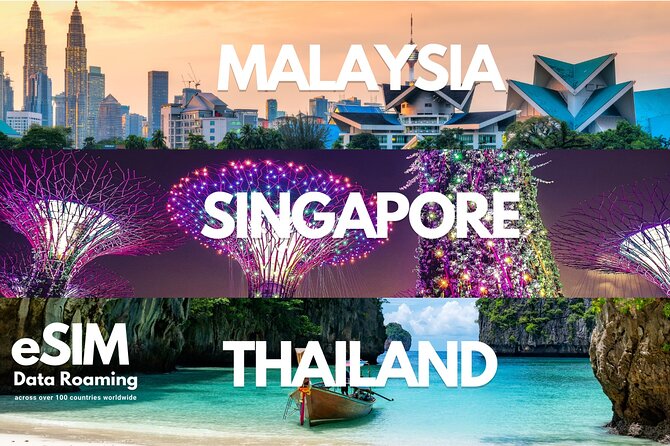
Even though this experience is anchored at Kuala Lumpur, Malaysia, the plan is presented as covering Singapore, Thailand, and Malaysia.
The networks listed include:
- Malaysia: Digi and Celcom
- Singapore: Singtel
- Thailand: AIS/DTAC
That matters because it is not just about country coverage. It is about what tower partners are in your area. Kuala Lumpur has strong coverage in many neighborhoods, but if you travel beyond city center, network strength can vary block to block. Having multiple carrier options within the country helps your odds of staying connected.
It also lists major airport hubs for connectivity, including Singapore (Singtel) and Malaysia (Celcom/Digi). So if you activate around arrival time, you should still have a good chance of connecting quickly.
Device compatibility: the one thing to check before you pack
This is the drawback category that deserves real attention.
The eSIM works only with eSIM-compatible devices that are not carrier locked. And there is a warning that matters for many travelers: devices commonly bought in China and Hong Kong may not support eSIM.
So before you board your flight, do this:
- Check in your phone settings whether you have an eSIM option
- Make sure your phone is not locked to a carrier
- If you are unsure, check online for your exact phone model and eSIM support
If you do this up front, the rest of the experience is easy. If you do not, you can end up stuck without an alternative plan when you need internet most.
Hotspot support: why it is useful in real trips
Hotspot support sounds like a small detail, but it often solves two common travel problems.
First, it lets you keep one main data source and distribute it. If your phone has the best signal, you can share it with a tablet or laptop.
Second, it helps with the map and booking triangle. Hotels, transport apps, and ride-hailing can all be on different devices. Hotspot support keeps everything from fighting over a weak connection.
Just remember hotspot can drain battery faster. If you are using hotspot heavily, plan on topping up your phone and keeping a charging cable handy.
Value for money: turning $3.18 into useful days
At $3.18 per person for a plan listed as around 30 days, this is positioned as a low-cost connection tool. The big question is whether it fits your usage style.
Here is how I would judge value:
- If you mainly need maps, messaging, email, and normal app use, this price can be excellent.
- If you want lots of high-definition video and heavy downloads every day, you may feel the high-speed allowance ending and you will want a larger allowance tier.
- If you only need internet for part of the trip, you might still like this because you control install timing and can keep your usage aligned with resets and allowance.
Also, the ability to get online quickly by scanning a QR code is part of the value. Time has a cost too. When you can activate while waiting for your flight or right after landing, you avoid the awkward half-day window where you scramble for connectivity.
What your “timeline” looks like on the ground
Since there is no physical guided tour in the usual sense, think of the experience as a connected travel timeline.
Before you leave
- Receive the QR code within minutes
- Save your confirmation and any install instructions
- Double-check your phone is eSIM-ready
Arrival in Kuala Lumpur
- Install the eSIM when you are ready
- Expect connection on 4G LTE or 5G depending on availability
- Use it right away for navigation and messaging
During your trip
- For daily plans, be aware of the 0000 (+8GMT) reset point
- For fixed allowances, track when high-speed data ends
- After that, plan on 128 kbps being fine for messaging apps
When your trip ends
- You stop using the data once you are done
- The plan has been prepaid, so your focus is on staying connected until your journey wraps
This setup style is what makes eSIMs feel good when they work. You are not negotiating with SIM counters. You are turning on a service that is already waiting.
Support and the practical reality of help
The support instruction is simple: if you have trouble, you should respond to the email from the Viator supplier. That is helpful, because it keeps your issue inside the provider workflow.
Also, a note worth taking seriously: there is no refund or cancellation for problems due to eSIM compatibility issues or changes in itinerary. So your best move is the same one again, verify compatibility before you install.
Who this eSIM suits best
This is a good match if you:
- Want internet immediately after arrival in Kuala Lumpur
- Travel with a phone that supports eSIM
- Prefer a simple prepaid setup over buying a local SIM
- Rely on messaging apps and maps
It might be less ideal if:
- You need a working phone number for traditional calls or SMS
- Your device is not eSIM compatible or you are unsure about it
- You plan heavy streaming as your default use
Should you book this eSIM for Kuala Lumpur?
I would book it if you meet the two big conditions: your phone supports eSIM and you are comfortable using data apps for communication. With that, this kind of setup gives you fast, stable connectivity without dragging you into the SIM shop shuffle.
I would skip or at least double-check first if you are arriving with a phone that might be carrier locked or a model known to have eSIM limitations. In that case, the risk is not the connection, it is the install.
If you want a quick recommendation from me: choose this when your trip is about moving around, finding the next stop, and staying in touch over data. It is a small purchase that can smooth out the entire Kuala Lumpur arrival day.
FAQ
How quickly do I get the eSIM QR code?
You receive the eSIM QR code within minutes.
When does the data plan start?
The plan validity starts upon installation. In other words, it begins immediately when you install the eSIM on your device.
Is this eSIM for calls and SMS?
No. This eSIM is data only, so it does not include a phone number for voice calls or SMS messages.
Can I use the eSIM for a mobile hotspot?
Yes. Mobile hotspot is supported.
What happens after I use my high-speed allowance?
After you use your selected high-speed data allowance, you still have unlimited data but at reduced speed, listed as 128 kbps for messaging apps.
How long do I have to start using it after purchase?
You need to start using the eSIM within one month of purchase.
More Tour Reviews in Kuala Lumpur
Other Kuala Lumpur write-ups from our reviewers
- Sky Mirror Experience at Kuala Selangor from Kuala Lumpur
★ 4.5 · 3 reviews - Putrajaya Tour From Kuala Lumpur
★ 4.0 · 3 reviews - Private Batu Caves & Petronas Twin Tower Tickets With Lunch *26*
★ 5.0 · 3 reviews - Private Night Tour: Petronas Twin Tower And Shopping
★ 5.0 · 3 reviews - Marina Jetty Pangkor Laut or Lumut Jetty Transfer from Kuala Lumpur
★ 5.0 · 3 reviews